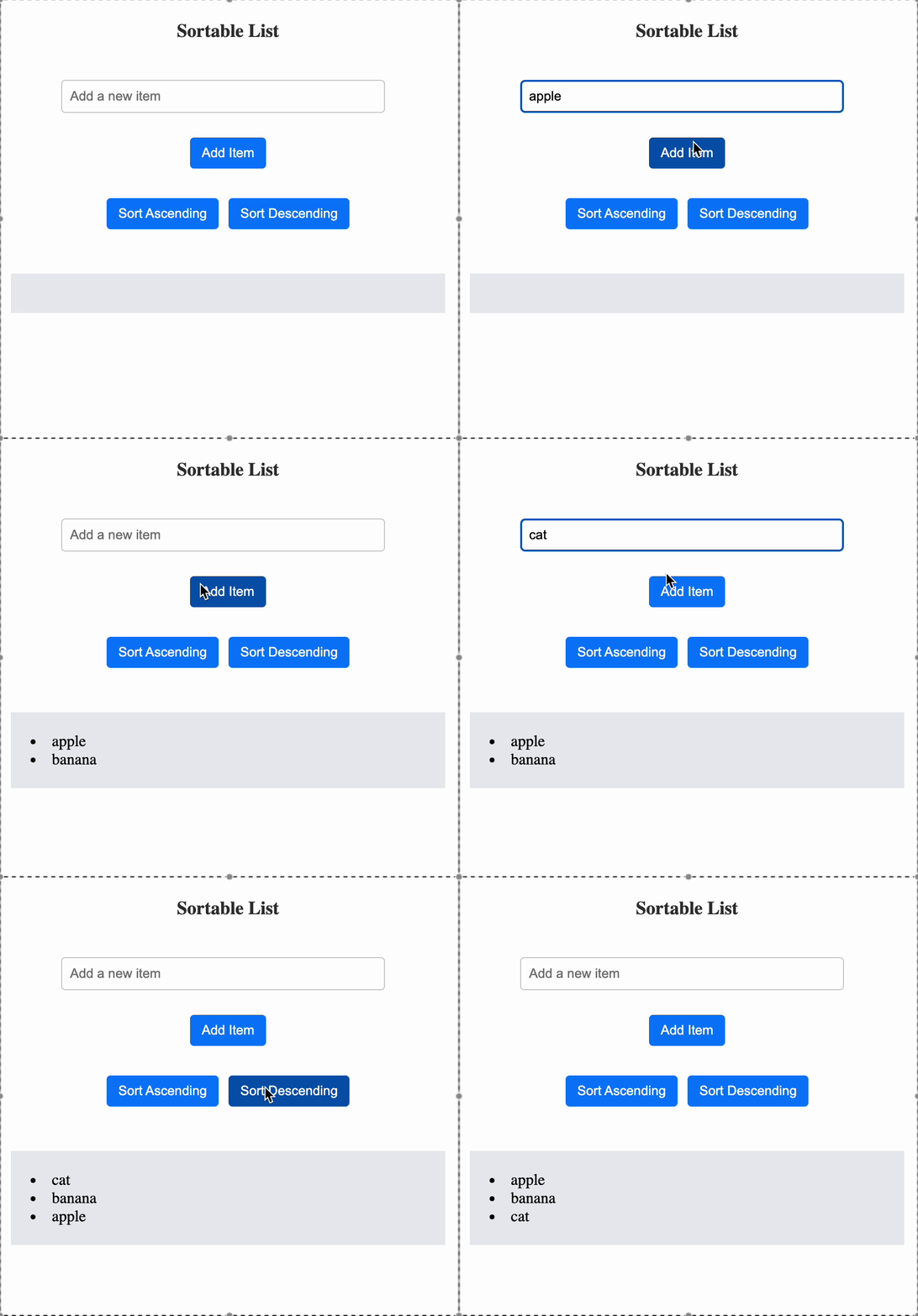
Create a React component called SortableList that allows users to add new items to a list and sort the list either in ascending or descending order. The sorting action should be optimized using the useCallback hook to avoid unnecessary re-renders of the sorting function when the list or the order is updated.
You need to:
- Implement an input field with the placeholder "Add a new item".
- A button labelled "Add Item" to add new items to the list.
- Ensure each item in the list has a unique id in the format item-<index>.
- Implement two buttons labelled "Sort Ascending" and "Sort Descending" to sort the list in ascending or descending order.
- Use JavaScript’s built-in .sort() method to sort the list items alphabetically.
- Use
useCallback to memoize the sorting function to avoid unnecessary re-creation of the function during re-renders.
- The list should dynamically update after each operation (adding items or sorting).
Reference UI