

King Moves
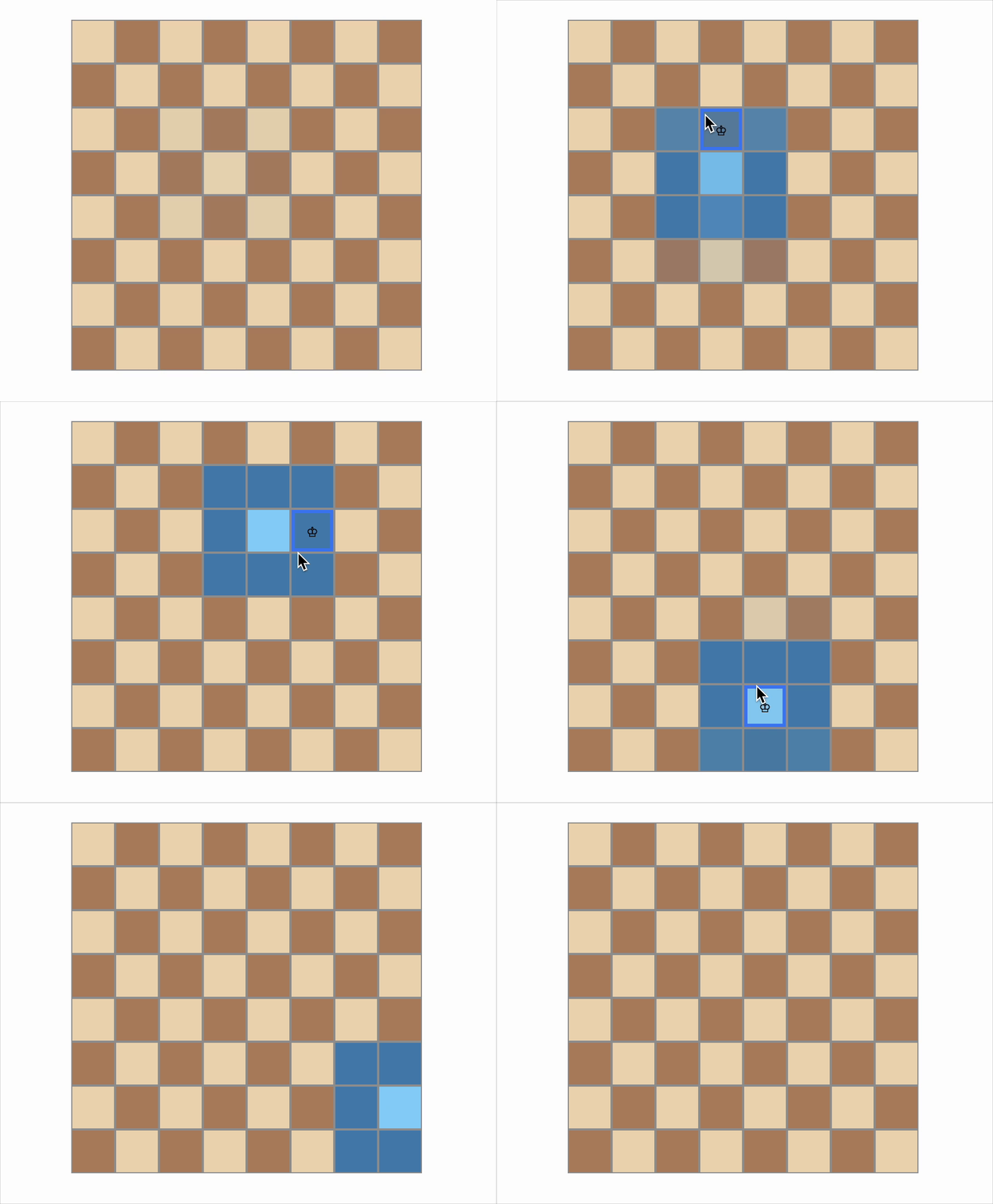
Build a simple React app that shows a chessboard. When the user hovers or clicks on a square, highlight all valid King moves starting from that position.
Requirements
-
Render an 8×8 chessboard (64 squares in total).
-
Each square must use
role="gridcell". -
When the user hovers over or clicks on a square:
- Highlight that cell with the CSS class
hovered. - Highlight all adjacent squares the King can move to using the CSS class
king-move.
- Highlight that cell with the CSS class
-
Clear all highlights when the mouse leaves the board or a new square is selected.
-
On initial load, no highlights should be shown. 6.Each square should have a
data-testid="cell-{row}-{col}".
Edge Cases & Constraints
- When the user hovers or clicks on a corner cell (e.g., (0,0)), only the 3 valid adjacent squares should be highlighted.
- When the user hovers or clicks on an edge cell (e.g., (0,3) or (7,4)), only the valid surrounding squares within board boundaries should be highlighted — typically 5 cells.
- When the user hovers or clicks on a middle cell (e.g., (3,3)), all 8 adjacent squares must be highlighted, excluding the center cell itself.
- When the cursor rapidly enters and leaves the board area, all highlights must be immediately cleared once the cursor exits the board.
- When multiple cells are hovered or clicked one after the other, only the latest selection and its valid King moves should remain highlighted; all previous highlights must be removed.
- If the user hovers or clicks the same cell again, the highlights should remain unless the cursor leaves the board or moves to a different cell.
- The board must always display exactly 64 squares in an 8×8 grid and must never render extra or fewer cells.
Reference UI
Companies:
Solve Similar questions 🔥
Want to upskill? Explore our courses!

Namaste AI
Learn to build modern AI applications with real-world projects.

Namaste DSA
Master DSA from scratch with numerous problems, and expert guidance.

Namaste React
Wanna dive deep into React and become Frontend Expert? Learn with me now!

Namaste Frontend System Design
The most comprehensive and detailed course for frontend system design.

Namaste Node.js
Wanna dive deep into Node.js? Enroll into `Namaste Node.js` now!